




Setting A Custom Number Format
1. Open your Form in Designer.
2. Select the Number layout element you want to format.
3. In the Property Editor, select the Format Tab.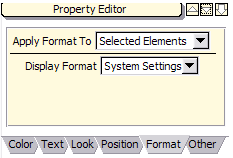
4. From the Display Format dropdown, select Custom Format. Additional dropdowns appear with the number format choices. The choices combine into a single number format, so be sure to make the desired selection from each one.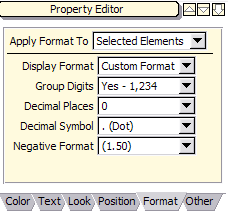
5. Select the desired number format options from the dropdowns.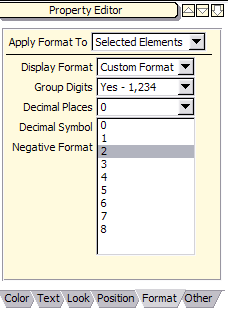
6. The selected number format is applied to your Layout Element. Confirm your choice by looking at the sample value on the Format Tab of the Property Viewer.
Don't forget to save and reconcile your changes!
Note: It is best to select a format where the decimal symbol is the same as is standard for your country.